Case Study · Product Design
Signing Contracts on Mobile Devices
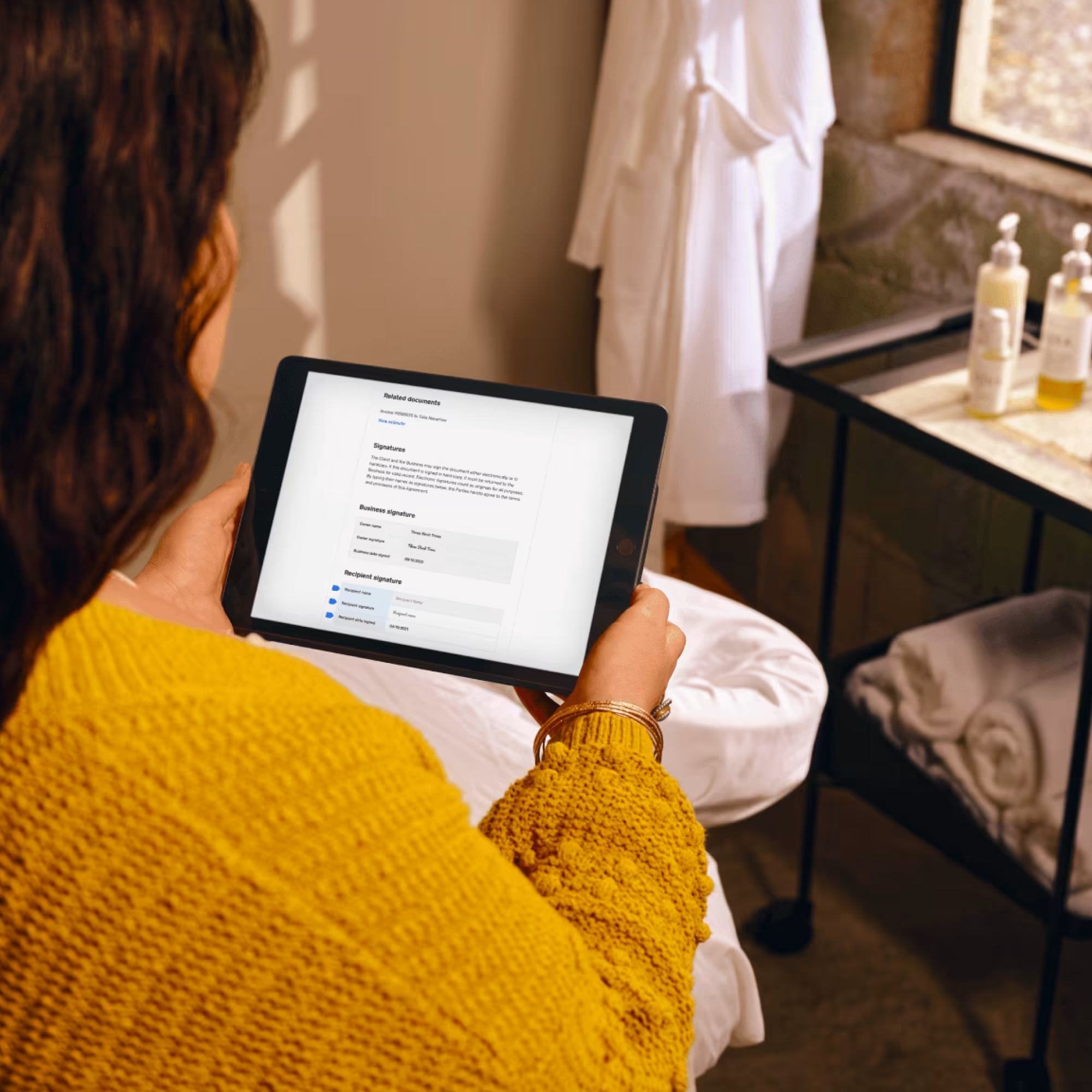
Redesigned the mobile contracts workflow to allow sellers to collect signatures at the point of service
Case Study · Product Design
Redesigned the mobile contracts workflow to allow sellers to collect signatures at the point of service
Background
For many service-based sellers, buyer contracts are essential and must be completed before a service can be performed. The standard workflow was straightforward: send the contract to the buyer in advance of their appointment and have it signed before they arrive. The problem was that a meaningful percentage of buyers were showing up with contracts unsigned. Sellers could only send contracts via email, but there was no way to retrieve an existing contract and complete it on the spot.
Seller Feedback
"Most people are signing digitally - but there are always a few people that they inevitably have to print out the contract and have them sign in person. Would love to be able to click the contract and just have them sign it"
"We love using contracts, however there are a couple of things we would love to see to make it run a lot smoother: The ability to pass our client our ipad to fill their empty consultation form out if they haven't already completed it."
"When Square is used as a waiver, we want a tablet at the front for people to sign. Same goes for in person sales that include a contract."
Our hypothesis: Based on seller feedback and the observed gaps in our product, we believed sellers would benefit from being able to turn on some kind of "kiosk" mode that would allow them to use their mobile device to get buyers to sign contracts in-person.
Research
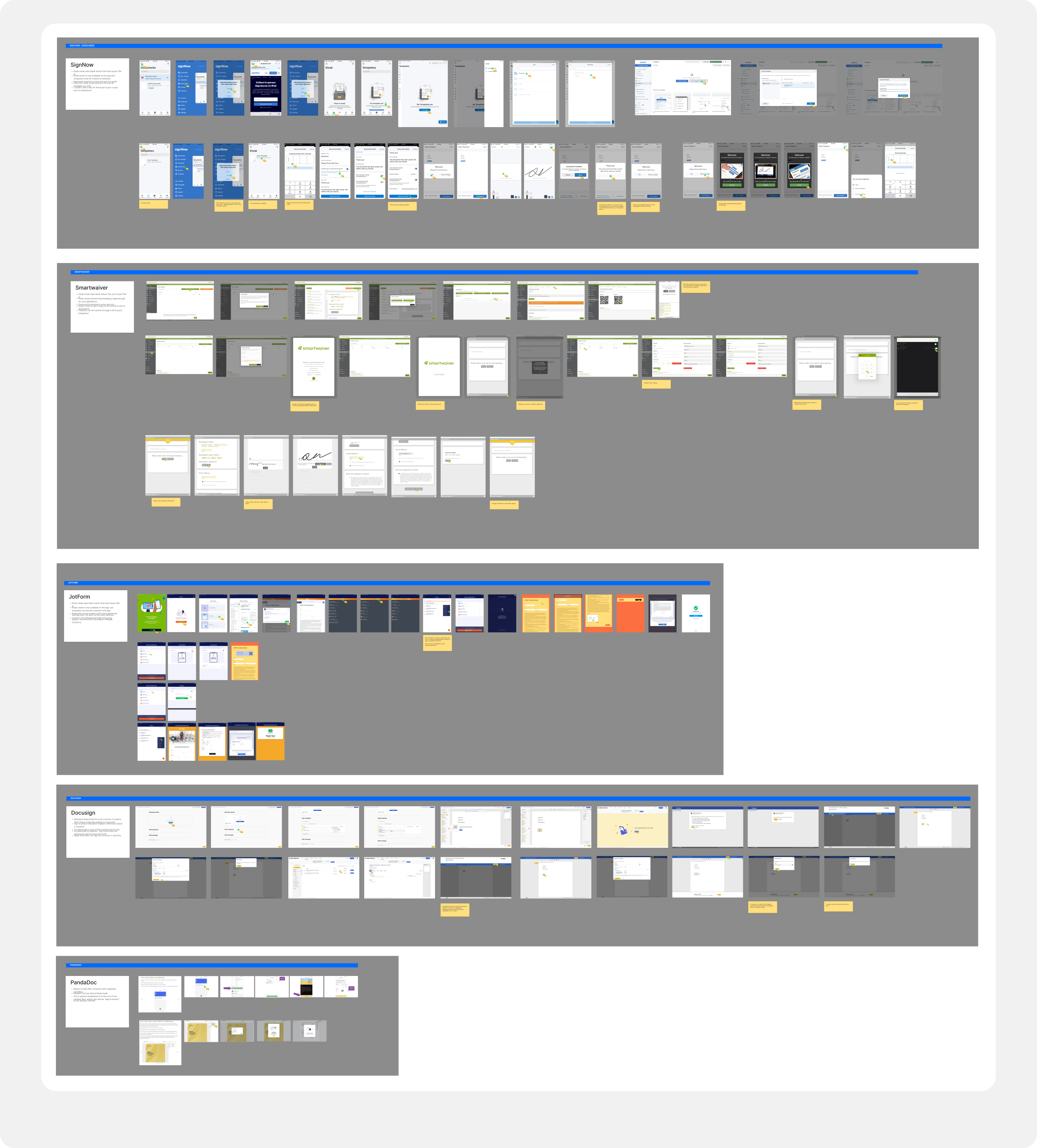
Many contract competitors already offered in-person signing experiences. To better understand existing user expectations, we did a competitive audit of SignNow, Smartwaiver, Docusign, Jotform, and Pandadoc. We used this audit to identify the table-stakes features buyers and sellers would want for an in-person signing experience.
In-person workflows were new for the Contracts product, so we conducted interviews with sellers to better understand how contracts fit into their physical workday.

Dog boarding & training
Uses Square Contracts for one waiver and emailed PDF or printed document for second contract

Beauty salon
Primarily uses Square Contracts but uses a third-party solution for in-person signing
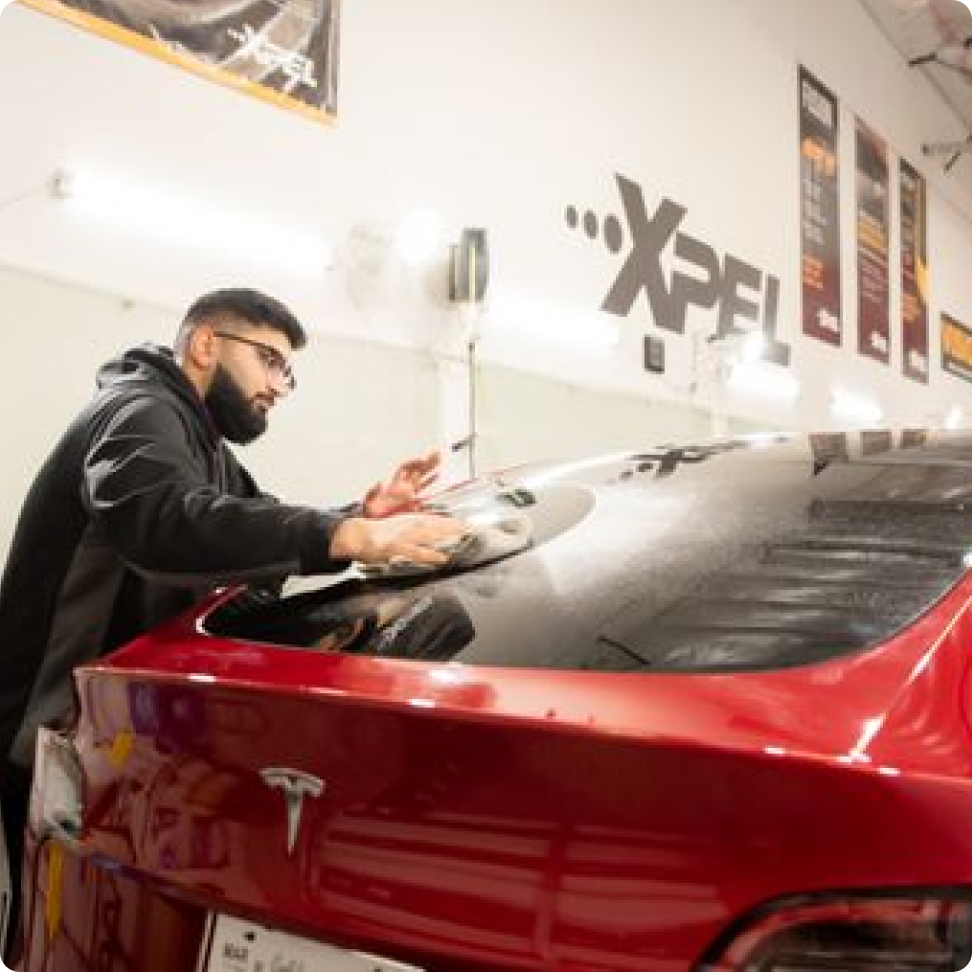
Automotive services
Uses Square for everything but contracts. Uses HelloSign for in-person signing.

Tailoring & alterations
Only uses Square for invoices. Uses Hubspot for contracts and Shopify for online business.
We spoke with 4 professional service sellers who had explicitly requested an in-person signing experience, and reviewed recordings from 3 previous health and beauty seller interviews. Despite working in vastly different industries (cars, dogs, dresses, and hair removal), all of them followed a nearly identical workflow around contracts.
We found that check-in, the moment a seller needs to potentially retrieve a contract for an arriving buyer, is a particularly high-stress point in the workflow. Every second counts. All sellers expressed a strong preference for handing buyers a tablet to complete the contract. Additionally, they needed that specific contract to be automatically associated with the right buyer. A blank waiver requiring manual re-association would create more friction than it solved.
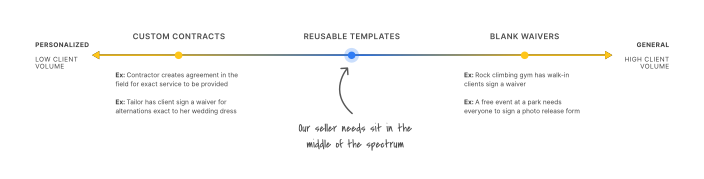
Looking across our competitive audit and interviews, we found that in-person contract needs operate across a spectrum. The use case our sellers were requesting, and the one that applied most broadly, was what we called "reusable templates." These are contracts where the structure is consistent across clients, but the content (names, dates, and specific service details) is unique to each individual buyer. They generally must be associated with a specific, existing buyer before a service can begin.
Approach
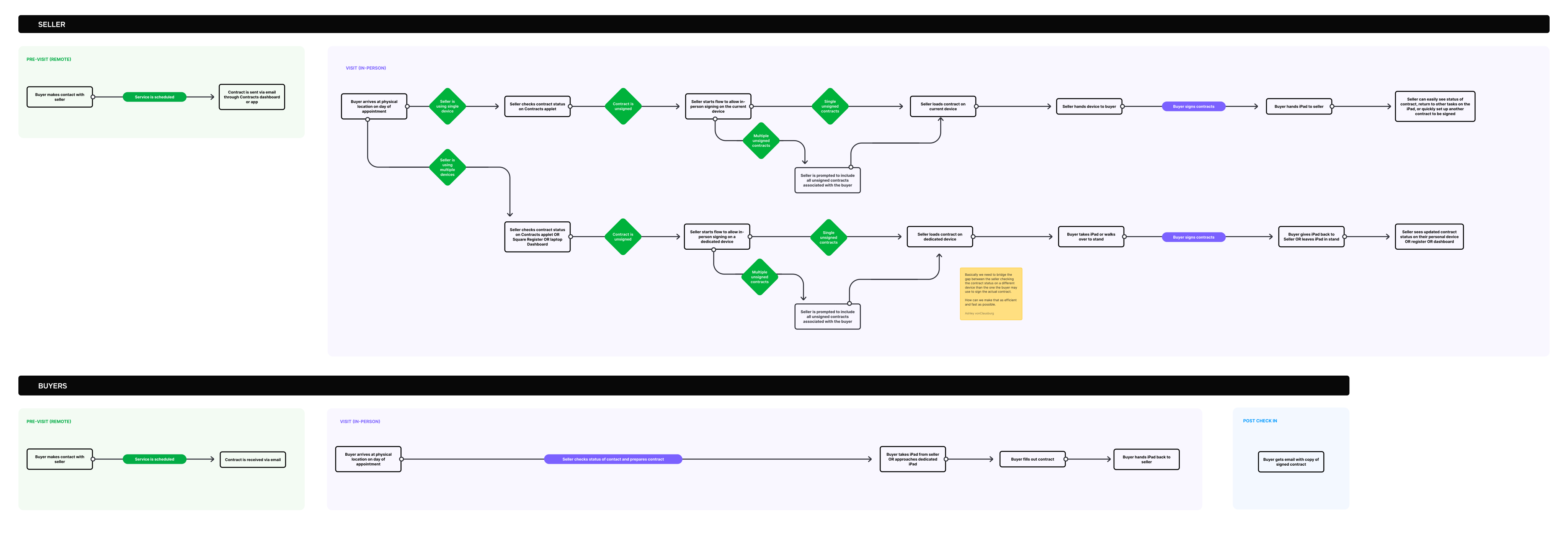
Based on the core need our research identified as well as realistic scope for what we could deliver in the first milestone, we defined product requirements specifically focused on allowing previously sent contracts to be signed in person.
Proposed Flow
Research
Once we aligned on the high-level flow, we wanted to identify the fastest path from checking a contract's status to getting it signed in person. Given that all sellers expressed a preference for using a tablet to collect missing signatures, we designed both prototypes around a shared device between buyer and seller.
Pros
Matches the seller's existing flow of checking contract status and moving directly into in-person signing.
Cons
For sellers processing a high volume of contracts or using a dedicated device, this approach doesn't offer a persistent mode they can leave active.
Pros
Keeps the seller in a continuous state of pulling up contracts for in-person signing, which could work well for high-volume sellers or those using a dedicated device.
Cons
Doesn't match many sellers' current mental model, making it less intuitive than starting from the individual contract.
We tested both prototypes with 3 sellers from our initial research who had explicitly requested in-person signing, as well as 3 new sellers who sent a high volume of contracts with in-person transactions. Speaking to the previous sellers allowed us to check if we correctly interpreted the problems from our initial discovery phase. Speaking to new sellers allowed us to stress test the solution for new businesses with unknown workflows that we hadn't explicitly designed for.
Previous sellers
Previous sellers unanimously preferred Prototype A. All sellers thought about contracts at the individual level, so starting from a dashboard simply didn't match their mental model or workflow.
"This is perfect."
However, when prompted, all but one seller said they would have serious privacy concerns about handing a client a shared device without some kind of locking mechanism. Most said the absence of this feature would be a dealbreaker.
"This is perfect."


New sellers
While all new sellers followed the same expected contract workflow and faced the same issues with getting them signed prior to service, their solution expectations diverged pretty dramatically from our previous sellers.
"I only have one iPad. What if there are multiple people trying to check in?"
Two of the three new sellers said they would never use a shared device model and the third did not like it as a solution. Concerns centered on not having enough devices and client privacy. Additionally, without any kind of prompting, all three new sellers said their ideal solution would be to send the contract directly to their client's phone via SMS.
"I'd like to pull up the contract and text it to my client's phone so they can sign it there."
The research revealed that a shared device solution, while preferred over a dashboard-based mode, still faced real resistance from sellers outside of our initial use case. For a meaningful portion of users, it simply wasn't a viable path. Once we realized that the desire for an SMS-based solution was high, we returned to our previous sellers to stress-test the idea. Two of the three said they felt that approach would work for their business just as well if not better than a shared device.
Pivot
After reviewing the final round of feedback, we made the decision to pivot to an SMS-based solution. The research made a compelling case: not all sellers have a shared device, but every buyer has a phone. We realized that by trying to build exactly what sellers asked for, we had overlooked what they actually needed. A simpler approach could address the core problem of getting an in-person signature without overbuilding or introducing unnecessary complexity.
We can be inclusive of more sellers
Our first round of seller calls led us to over-index on a shared device solution. While that approach works for some sellers, there is a meaningful segment for whom it simply isn't viable. Sending contracts via SMS reaches clients wherever they are, without requiring any additional hardware on the seller's side.
We can solve the core problem with less scope and risk
A well-executed shared device solution would require building a locking and unlocking mechanism for signing mode, as well as adjustments to support signing multiple contracts in sequence. This would be a large undertaking from an eng POV. SMS delivery, by contrast, was a small addition that would easily fit into the scope of our existing adaptation of contracts to mobile.
We can solve for edge cases
As a bonus, SMS unlocks a flow that the shared device solution couldn't easily support: walk-in clients. The shared device approach was optimized for previously sent contracts. Getting a walk-in signed would have required creating a contract, emailing it, then returning to the sent contract to initiate in-person signing. With SMS as the delivery method, sellers can send a contract directly to any walk-in client as part of the creation flow.
Solution
Ultimately, rather than build a new, complex feature, we decided to sequence a series of focused improvements that not only solved the original seller problem, but unlocked new capabilities.
Together, these improvements meant that a seller could get a contract signed in the moment, whether a client forgot to sign in advance or walked in off the street, without any additional tooling or shared devices. Sellers can finally close the gap between a missed signature and a completed booking.
Outcome: This project was deprioritized before launch due to a shift in business priorities.